
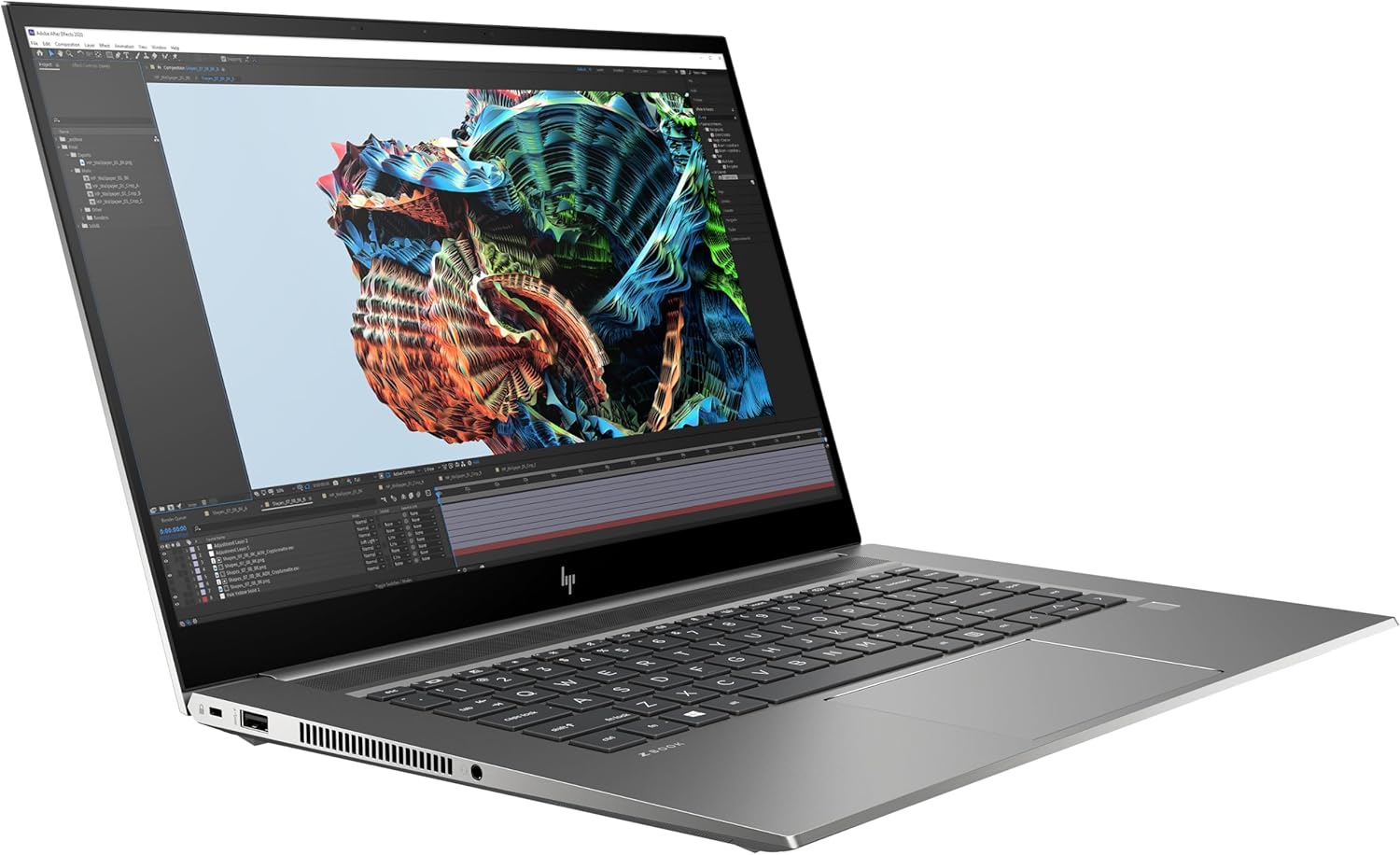
HP ZBook Studio G8 15.6” FullHD, i7-11850H (8 Cores), Nvidia RTX A3000 6GB, 2TB PCIe Gen 4.0x4 NVMe, 32GB DDR4, vPro, FPR, SD Card Reader, WIFI 6 & BT 5.1, UK Backlit Keys, Windows 11 Pro (Renewed)

In the market for a high-performance mobile workstation that balances professional-grade power with a relatively portable form factor? The HP ZBook Studio G8, particularly in its renewed form, presents a compelling proposition for professionals who require serious computational muscle on the go. This analysis provides a detailed, specification-based examination of a specific configuration: the HP ZBook Studio G8 with an Intel Core i7-11850H processor, NVIDIA RTX A3000 graphics, 32GB of RAM, and a substantial 2TB SSD. Our goal is to dissect the hardware, outline realistic performance expectations, and help you determine if this renewed workstation aligns with your professional needs and workflow demands.
Quick Specifications
| Component | Specification |
|---|---|
| CPU | Intel Core i7-11850H (8 Cores, 16 Threads) |
| GPU | NVIDIA RTX A3000 Laptop GPU (6GB GDDR6) |
| RAM | 32GB DDR4 |
| Storage | 2TB PCIe Gen 4.0 x4 NVMe SSD |
| Display | 15.6" Full HD (1920 x 1080) |
| Operating System | Windows 11 Pro |
| Connectivity | Wi-Fi 6, Bluetooth 5.1, SD Card Reader |
| Keyboard | UK Layout Backlit Keyboard |
| Security | Fingerprint Reader (FPR), Intel vPro |
| Condition | Renewed |
Key Features of the HP ZBook Studio G8
The HP ZBook Studio G8 is engineered as a mobile workstation, meaning its components are selected and validated for stability and accuracy in professional applications. The key features of this specific configuration highlight its target audience.
- Intel Core i7-11850H & vPro: This 8-core, 16-thread processor from Intel's 11th Gen H-series offers high clock speeds for responsive performance in demanding applications. The inclusion of Intel vPro technology indicates a focus on business and IT manageability, offering features for remote management and enhanced security.
- NVIDIA RTX A3000 Laptop GPU: This is a professional-grade mobile GPU based on the Ampere architecture. With 6GB of dedicated memory, it is designed for ISV-certified applications in fields like CAD, 3D rendering, data science, and complex visualisation, offering optimised drivers for stability over raw gaming performance.
- Substantial Memory & Storage: The 32GB of DDR4 RAM is a significant amount, suitable for heavy multitasking, working with large datasets, or complex simulations. The 2TB PCIe Gen 4.0 NVMe SSD provides exceptionally fast boot, load, and file transfer times, alongside ample space for large project files.
- Professional Software & Security: Windows 11 Pro offers features crucial for business environments. Combined with the fingerprint reader and vPro platform, this configuration is built with data security and system management in mind.
Design and Build Considerations
As a member of HP's ZBook family, the Studio G8 is expected to adhere to MIL-STD 810H testing standards for durability, which resistance to shock, vibration, and extreme temperatures. The "Studio" designation indicates a focus on a thinner and lighter chassis compared to bulkier mobile workstations, making it a more travel-friendly option for professionals who need power without excessive bulk. The inclusion of an SD card reader is a practical touch for photographers and videographers, while the UK-backlit keyboard facilitates work in various lighting conditions. The Full HD display resolution provides a balance between sharpness and battery efficiency, though professionals in colour-critical work would need to verify the specific panel's colour gamut coverage (e.g., sRGB, AdobeRGB) from the seller's listing.
Performance Expectations
Based on its hardware specifications, this HP ZBook Studio G8 configuration is positioned for serious professional workloads, not casual use. The 8-core Intel i7-11850H CPU provides strong multi-threaded performance for tasks like video encoding, compiling code, and running complex calculations. It should handle everyday office productivity and multitasking with immense headroom.

Disclosure: This review may contain affiliate links. As an Amazon Associate, I earn from qualifying purchases—at no extra cost to you.
The NVIDIA RTX A3000 6GB GPU is the centrepiece for GPU-accelerated workflows. Users can expect robust performance in applications like Autodesk AutoCAD, Revit, SOLIDWORKS, Adobe Premiere Pro (with CUDA acceleration), and 3D rendering engines such as V-Ray and Blender Cycles. Its performance is tailored for viewport manipulation and rendering with professional drivers that prioritise accuracy and stability. For gaming, it is capable, but its design and driver optimisations are fundamentally oriented towards professional software.
The combination of 32GB RAM and a fast Gen4 NVMe SSD ensures that the system is highly responsive, with minimal lag when switching between large applications or loading substantial project files. This setup is appropriate for users who require fast application responsiveness and the ability to work with multiple large files simultaneously.
Pros and Cons
Based on the confirmed specifications, here is a balanced assessment.
Pros
- High-performance professional hardware (i7, RTX A3000) in a relatively portable form factor.
- Large, fast 2TB Gen4 SSD offers excellent storage speed and capacity.
- 32GB of RAM is ample for demanding professional multitasking.
- Includes professional features: Windows 11 Pro, vPro, fingerprint reader.
- Renewed status typically offers a more accessible price point for this class of hardware.
- Practical connectivity with Wi-Fi 6, Bluetooth 5.1, and an SD card reader.
Cons
- As a renewed product, condition and remaining battery health are variable and must be verified.
- The Full HD display may be a limitation for users needing higher resolution for detail work.
- Professional GPU drivers are optimised for stability, not peak gaming frame rates.
- Performance and cooling in a thin chassis depend on the manufacturer's power and thermal design limits.
- Warranty coverage for renewed products is often shorter than for new items.
Comparison with Similar Products
When considering this renewed ZBook Studio G8, it's useful to compare it to common alternatives.
- Versus Newer Consumer Laptops with RTX Graphics: A new laptop with a current-generation RTX 4060/4070 might offer better gaming performance and newer features like DLSS 3. However, it may lack the professional ISV certifications, the stability-focused drivers, the build quality, and the business features (vPro, Windows 11 Pro) of the ZBook. The choice hinges on whether your priority is gaming/consumer use or professional application stability.
- Versus Other Renewed Mobile Workstations (e.g., Dell Precision, Lenovo ThinkPad P Series): The market for renewed professional laptops is competitive. Comparable models from the same era with similar Intel H-series CPUs and professional GPUs (like the NVIDIA T1200 or A2000) will offer similar performance. The decision may come down to brand preference, specific port selection, keyboard feel, and the exact condition/warranty offered by the renewer.
- Versus a New Entry-Level Workstation: The budget for this renewed G8 might overlap with the cost of a new but more modestly configured workstation. A new system offers a full warranty and latest-generation components, but potentially with a less powerful GPU, less RAM, or smaller SSD. This ZBook configuration makes sense if you prioritise getting higher-tier, last-generation professional hardware within a budget.
Buying Guide: Who Is This For?
This HP ZBook Studio G8 configuration is a specialised tool suited for specific users.
- Professional Content Creators: Videographers, 3D artists, and engineers who use applications like Premiere Pro, After Effects, SOLIDWORKS, or AutoCAD and value a portable, ISV-certified system.
- Data Scientists & Analysts: Professionals working with large datasets who can leverage the 8-core CPU, 32GB RAM, and GPU acceleration for machine learning tasks (via CUDA).
- Architects & Designers: Those who need reliable performance for BIM software, architectural rendering, and CAD work on the move.
- IT Professionals & Developers: Users who require a powerful, secure, and manageable laptop (thanks to vPro and Win 11 Pro) for virtualization, coding, and system administration.
It is likely less suitable for users whose primary needs are general office work, web browsing, or high-refresh-rate gaming, as there are more cost-effective options available for those use cases.
Key Things to Verify Before Buying
Purchasing a renewed high-value item requires due diligence. Before completing a purchase, you should carefully verify the following on the
Disclosure: This review may contain affiliate links. As an Amazon Associate, I earn from qualifying purchases—at no extra cost to you.